

Create Previews
Generate an H.264 preview of a video.
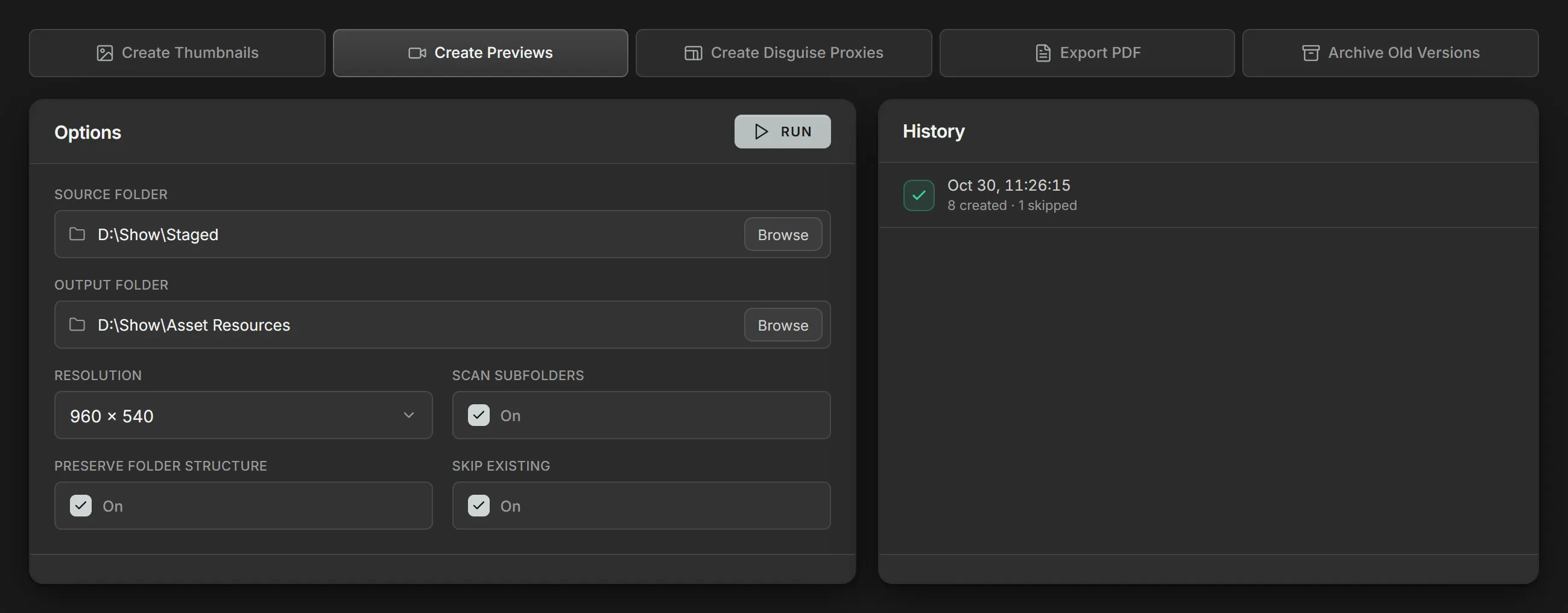
Method
Section titled “Method”Create Previews scans the Source folder for video files and writes an
.mp4 preview of each one to the Output folder. Each one is scaled to fit inside
the chosen Resolution, with black filling any space left over, so the
original aspect ratio is maintained.
When Volare sets up a show folder, Source folder and Output folder default to the show’s Staged and Asset Resources folders.
Encoding
Section titled “Encoding”Every preview is encoded the same way:
- Video: H.264 at 1500 kbps, in 8-bit 4:2:0 color.
- Audio: AAC at 128 kbps.
Output layout
Section titled “Output layout”With Preserve folder structure on, each preview is written to a folder named after its file, under the same subfolders it has in the source:
Asset Resources\Song_01\Intro_v02\preview.mp4With it off, every preview is written directly to the Output folder, named after its file:
Asset Resources\Intro_v02_preview.mp4Parameters
Section titled “Parameters”| Parameter | Details |
|---|---|
| Source folder | The folder of videos to generate previews from. |
| Output folder | The folder the previews are written to. |
| Resolution | The size of every preview: 1920 × 1080, 1280 × 720 or 960 × 540. |
| Scan subfolders | Include every folder inside the Source folder. |
| Preserve folder structure | Give each file its own folder in the output, mirroring the source’s subfolders. See Output layout. |
| Skip existing | Skip a file when its preview is already in the Output folder. |