

Create Disguise Proxies
Generate lower-resolution HAP Alpha proxies of .mov files.
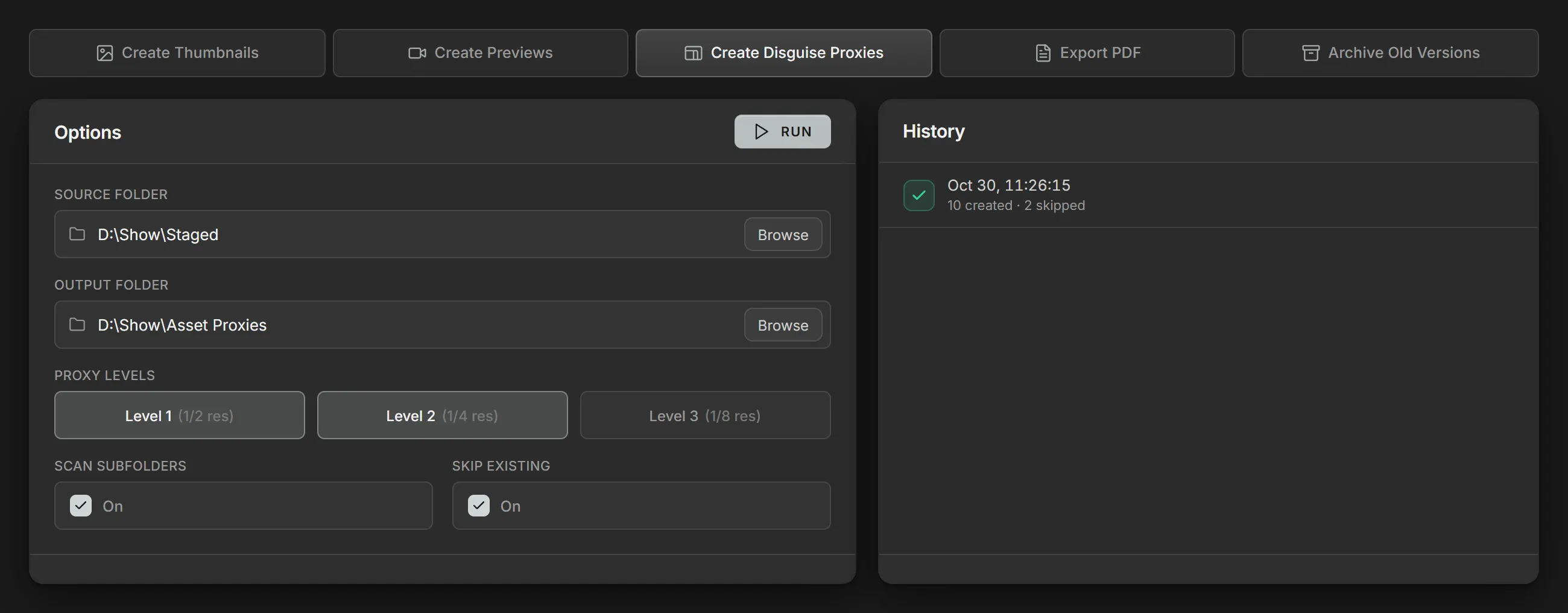
Method
Section titled “Method”Create Disguise Proxies scans the Source folder for .mov files and
writes HAP Alpha proxies of each one to the Output folder. One proxy is made
at each of the chosen Proxy levels, and the audio is included.
When Volare sets up a show folder, Source folder and Output folder default to the show’s Staged and Asset Proxies folders.
Proxy levels
Section titled “Proxy levels”Each level halves the size again:
- Level 1 (1/2 res): half the source’s width and height.
- Level 2 (1/4 res): a quarter.
- Level 3 (1/8 res): an eighth.
Widths and heights are rounded down to a multiple of 4.
Output layout
Section titled “Output layout”Proxies are written under the same subfolders their file has in the source, named after the file with the level added:
Asset Proxies\Song_01\Intro_v02_proxy1.movAsset Proxies\Song_01\Intro_v02_proxy2.movParameters
Section titled “Parameters”| Parameter | Details |
|---|---|
| Source folder | The folder of .mov files to generate proxies from. |
| Output folder | The folder the proxies are written to. |
| Proxy levels | The levels to make for each file. Select one or more. |
| Scan subfolders | Include every folder inside the Source folder. |
| Skip existing | Skip a level when its proxy is already in the Output folder. |