

Archive Old Versions
Move superseded versions out of a folder.
Method
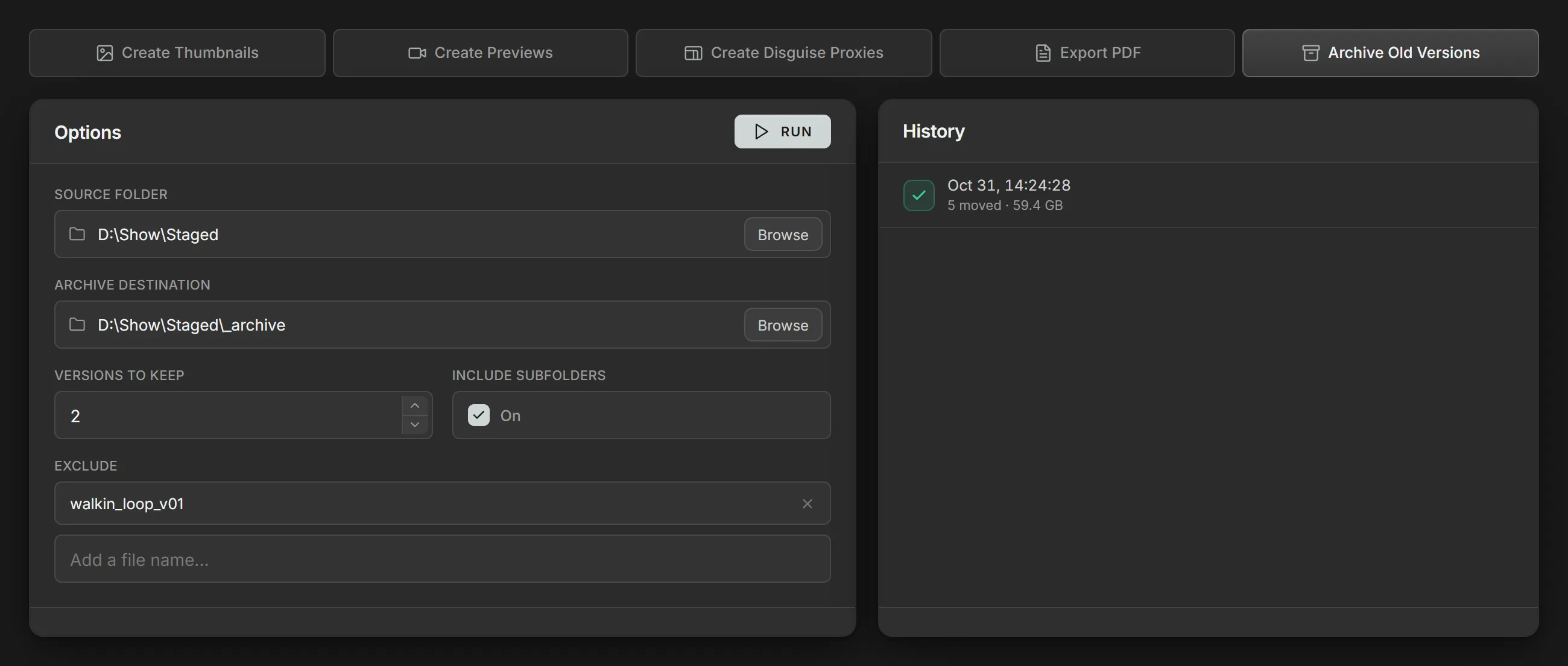
Section titled “Method”Archive Old Versions moves the older versions of each file in the Source folder into the Archive destination, leaving the newest in place.
When Volare sets up a show folder, Source folder and Archive destination
default to the show’s Staged folder and Staged\_archive.
Volare doesn’t track folders named
_archive, and a new distribution starts with them excluded. Moving old versions to an_archivefolder inside Staged keeps them close to their original location, while the next Mirror distribution clears them off the media servers.
Which files move
Section titled “Which files move”Files in the same folder that share a name apart from their version form a
version group, such as Intro_v01.mov, Intro_v02.mov and Intro_v03.mov.
Names are compared ignoring case. In each version group the newest versions stay
and the rest move. Files without a version stay where they are.
Frame patches
Section titled “Frame patches”A frame patch, such as Intro_v04_frame0120.mov, replaces only some frames of
the version beneath it. A version and the patches above it count as one, and
stay or move together, so a patch is never left without its underlying version.
With Versions to keep at 2:
| File | Result | Why |
|---|---|---|
Intro_v05.mov | Kept | The current version |
Intro_v04_frame0120.mov | Kept | Patches v03, so it stays |
Intro_v03.mov | Kept | Counts as one version with its patch |
Intro_v02.mov | Moved | Older than the two kept |
Intro_v01.mov | Moved | Older than the two kept |
Exclude
Section titled “Exclude”A file on the Exclude list stays where it is, whatever its version. An entry can be the full file name or the name without its extension, and matches in any folder, ignoring case.
With Versions to keep at 2 and walkin_loop_v01 on the
Exclude list:
| File | Result | Why |
|---|---|---|
walkin_loop_v04.mov | Kept | The current version |
walkin_loop_v03.mov | Kept | The version before it |
walkin_loop_v02.mov | Moved | Older than the two kept |
walkin_loop_v01.mov | Kept | On the Exclude list |
An excluded file among the newest still counts as one of them, so nothing extra stays.
Output layout
Section titled “Output layout”Old versions are moved to the Archive destination, under the same subfolders they have in the source.
In Staged:
Staged\Song_01\Intro_v01.movIn the archive:
Staged\_archive\Song_01\Intro_v01.movParameters
Section titled “Parameters”| Parameter | Details |
|---|---|
| Source folder | The folder to move old versions out of. |
| Archive destination | The folder to move old versions to. Defaults to an _archive folder inside the Source folder. |
| Versions to keep | The number of newest versions of each file that stay in place. |
| Include subfolders | Include every folder inside the Source folder. |
| Exclude | Files that stay where they are, whatever their version. See Exclude. |